
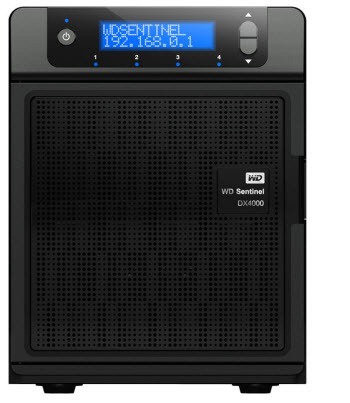
Western Digital is shipping the first device available in the US with Microsoft’s small business storage and backup software, Windows Storage Server 2008 R2 Essentials.
Microsoft has a gift for names, doesn’t it? It’s a little embarrassing to gush over a product that is brand new on the market and very appealing when it has a wince-inducing name like “Windows Storage Server 2008 R2 Essentials.” It is closely related to Microsoft’s other new small business server, the one named “Small Business Server 2011 Essentials.” Couldn’t this have been named “Storage Server 2011 Essentials”? That’s a nice name. Maybe it was taken. Sigh.
There was a lengthy and unexplained delay in getting these to market. Western Digital is shipping the first ones but there will likely be more in the next six months. It appears to be a full court press by Western Digital to become a player in network storage for small and medium businesses, where it has not really had much to offer before. The WD Sentinel DX4000 has great specs at a very aggressive price. (The internal hard drives are enterprise quality that would add up to almost the price of the entire box if you bought them separately.)
At its core this is a Network Attached Storage device, providing enormous gobs of storage (4Tb or 8Tb) on multiple redundant drives. There are many NAS devices on the market; the WD Sentinel DX4000 compares well even without considering what else it does.
But it does more, much more.
The most significant thing for small businesses is that the device will back up all the business workstations every night, up to 25 of them, and provide rich tools to recover files or restore entire computers after a hard drive crash. It is the same technology built into Small Business Server 2011 Essentials and it deserves just as much emphasis. There is no comparable way to accomplish this kind of crucial protection for Outlook archives, files stored on desktops, Internet favorites, and all the other things not stored on the server – not to mention regaining the time that would otherwise be spent after a crash on rebuilding a replacement hard drive or provisioning a replacement computer. I wrote this impassioned rant about the backup capabilities of SBS 2011 and all of it applies to this server as well.
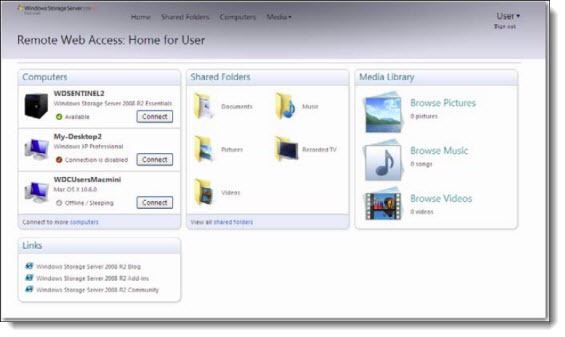
The second significant thing for small businesses is a portal for remote access that mirrors the SBS 2011 portal. Users working remotely can connect to their office computer as well as uploading and downloading files stored on the server, using simple controls running in a web browser.
A bird’s eye view of Microsoft’s two servers for very small businesses:
- Small Business Server 2011 Essentials is required to be the first server in an office, with all the powers of a domain controller to set up user accounts and enforce security. When the hardware has generous specs, the same server might also be able to run a robust line-of-business program – something running on a SQL database, say.
- Storage Server 2008 R2 Essentials can join a domain, in which case it will fully embrace the existing Active Directory structure and pick up all the existing user accounts and security settings. But it will also operate as a standalone unit for offices that are anxious to keep costs down or are too small to need a domain controller. At roughly a thousand dollars for 4Tb of storage, the WD Sentinel DX4000 is about half the cost of a full-featured SBS 2011 Essentials server. It’s got a less powerful processor and less memory than you would likely get for a domain controller but it appears to be more than adequate for the jobs it will do. You would not expect it to run a database or anything that requires more than the basics of handing out files.
A well-informed consultant can help you understand which of those choices might be right for your office.
I’m excited to have this as an option. It immediately becomes one of the choices that I will have in mind when I talk to you about your needs. Call me if you want more information!

Trackbacks/Pingbacks