
Here’s a simple insight that bears repeating. It will help keep you safe.
Most malware is delivered by poisoned web sites that take advantage of some weakness in your system – usually because the computer is not up to date on recent patches for Windows, Java, Flash, Adobe Reader, or others.
For two years almost all malware has announced itself by pretending to have identified a virus on your system. The bad guys have discovered that people can be fooled more easily by phony security warnings than anything else.
Modern web browsers keep those programs in a sandbox, unable to affect your computer unless you give them permission. That’s why there will be something to click on – “Click here to scan your system,” “Click here to purchase antivirus scanner,” or the like.
If you click, you give the malware permission to escape from the sandbox and wreak havoc on the rest of your system – and you tell your antivirus software to stand down. At that moment, almost all of your protection comes from your common sense and your control over your clicking finger.
There will be buttons that appear to give you a choice. Maybe they’re traditional “OK / Cancel” buttons.
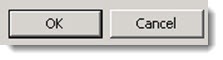
Maybe the buttons say “Clean Computer / Close” or something else that sounds like it will let you get back to work.


Here are the two things that ought to be in your mind at that moment.
- The bad guys are lying scum. Everything you see on screen is fictional.
- The bad guys wrote the “Cancel” button. If you press “Cancel,” the bad guys will kill your dog.
Virtually every bit of malware that is brought to me has gotten onto a system because somebody hit the “Cancel” button without thinking. Don’t let that happen to you!
Remember these tips from the Rules For Safe Computing.
If a web site brings something up on your screen that might be malware, do not click on anything. If you click “NO” or “CANCEL,” there is a good chance that they lied and you actually gave permission to install the malware. Don’t click the X in the corner. Don’t click the Start button. Get your hands off the mouse!

If you have a window onscreen that might be dangerous, turn your computer off with the power button. You have better than even odds of stopping the malware from doing anything to your system, as long as you don’t click anything when it’s onscreen. Hold down the power button for 8-10 seconds until the system goes completely dead, then restart it. With luck, you’ll dodge the bullet.
Be careful out there!

Unparalleled accuracy, unequivocal clarity, and undeniable ipmtoracne!
My Apology for not doing a better job of including your entire link. and you are right I was a little offended with the Kill your dog deal but liked the content. Thank you and again I am sorry.