
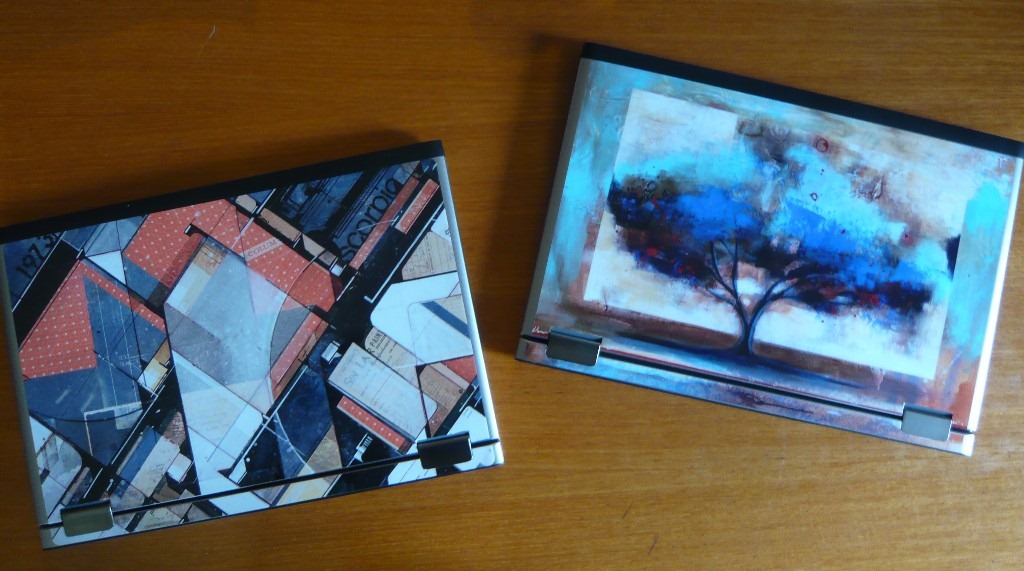
 Once my wife saw my Dell Vostro V13, it didn’t take long before we had two Vostro V13s.
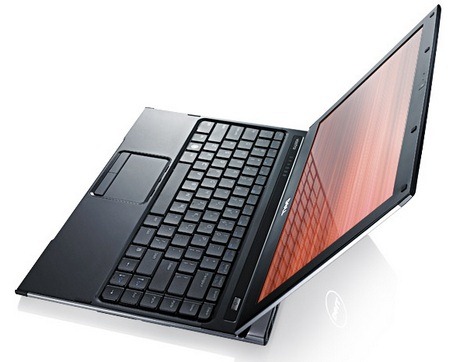
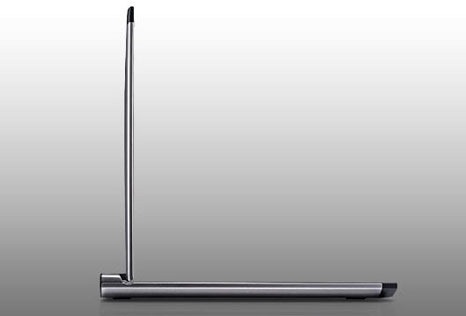
The Vostro V13 is an ultrathin notebook with a 13” 1366×768 nonglare screen and a full-size keyboard. It’s two-thirds of an inch tall with the lid closed and weighs just 3.5 pounds. The aluminum body oozes style and elegance, with curved edges and a polished exterior that is surprisingly solid for such a light machine. It has the same appeal as some very expensive ultrathin laptops, the Dell Adamo and Sony Vaio Z, but sells for far less.
I wanted a system that would run Windows 7 with ease, so I got the Core 2 Duo SU7300 processor, one of Intel’s new ultra-low voltage mobile processors, and 4Gb of RAM. (It would run acceptably with a less powerful processor and 2Gb of RAM but always get more memory when it’s available – it’s the most important investment you can make to ensure happiness and long life for your new computer.) That brought the price to about $900, plus the cost of whatever version of Microsoft Office suits you.
The Vostro V13 does not have a built-in DVD drive. You can buy a USB drive but think about it – when was the last time you put a CD or DVD into a computer? For many people, there isn’t any reason to use an optical drive now that most software is downloadable. Microsoft Office is the exception, and it’s far easier to get it preinstalled by Dell than to solve the problem of installing it without a drive. (If you do have to install a program from disk, it’s possible to share the DVD drive on a desktop computer and access it from the Vostro. I installed Office from \brucebpcdvddrive. Call me if you want some help with that!)
 At the moment Dell doesn’t offer a built-in mobile broadband device from one of the cell phone carriers for a persistent Internet connection without having to hunt for an 802.11 wireless network. (“Coming soon.”) I considered Verizon’s mobile broadband device that could be plugged into the Vostro’s ExpressCard slot, or a variety of USB devices that would stick out of the back. In the end I opted for a separate Verizon MiFi card that broadcasts a small 802.11 wireless network for the Vostro to use for its Internet connection. It works like a charm but adds one more device with a battery that has to be charged. Our life is ruled by batteries!
Like many new notebooks and netbooks, the Vostro V13 includes a built-in webcam and microphone, which means my wife and I could use Skype for free video calls on our separate winter vacations. (Snow for me, sun for her.) Audio and video were smooth and troublefree.
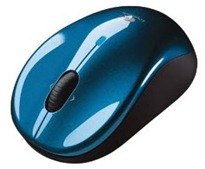 I’m not a touchpad fan but I hated the thought of something sticking out of the USB port in the back for a wireless mouse. It took a while before a light bulb went on and I got the Logitech V470 Bluetooth mouse, which works perfectly with the Vostro’s built-in Bluetooth.
The battery lasts for about two hours of nonstop use. Windows 7 saves power aggressively, so the system goes to sleep after a few minutes of inattention or when the cover is closed. It wakes from sleep almost instantly, so there’s no downside to taking advantage of the power saving features. The battery seems to last forever in my typical use as I move the notebook from place to place, waking it up and letting it sleep again.
There were only two changes that I made to the default configuration:
- The touchpad arrives with “pinch-zoom” enabled, which is the gesture you see in advertisements where people pinch their thumb and forefinger together to zoom in on a photo of someone’s face. It must be a generational thing. It’s not a gesture that comes naturally and I found myself accidentally zooming in on web pages and frightening myself. It’s easily disabled.
- Dell includes software for the webcam that appears whenever another program activates the camera. Every time I started Skype I’d see an unexpected control panel offering to change my face into an animated kittycat. This wasn’t useful. It’s possible to configure Dell Webcam Central so it doesn’t appear when streaming video starts, and the Creative avatar software can be uninstalled.
Oh, and the skins in the picture above are from Gelaskins, made from a vinyl material that uses the same sticky stuff that 3M uses on PostIt notes. Get the size for 13” MacBooks or 13.3” PC laptops and be prepared for a little work with an Xacto knife.
This is great technology! Notebooks are very personal and you may want a bigger screen, a built-in optical drive, a smaller netbook, better video for gaming, or any of a hundred other things. There is no shortage of notebooks for every taste. But if you’re a businessperson looking for a notebook that will do your work and earn you some style points at a reasonable price, you really have to consider the Vostro V13.

Trackbacks/Pingbacks